Forms and questionnaires for photographers
Ask once.Never retype it.
Inquiry forms on your site that turn into clients and projects. Questionnaires that collect every detail before the shoot. Every answer saved where you'll need it.
Free plan, no expiry · No credit card required
- Inquiry forms
- Quote requests
- Embed code
- CRM fields
- Questionnaires
- Templates
- Due dates
- Reminders
- PDF and CSV
What are Mosaii.co forms and questionnaires?
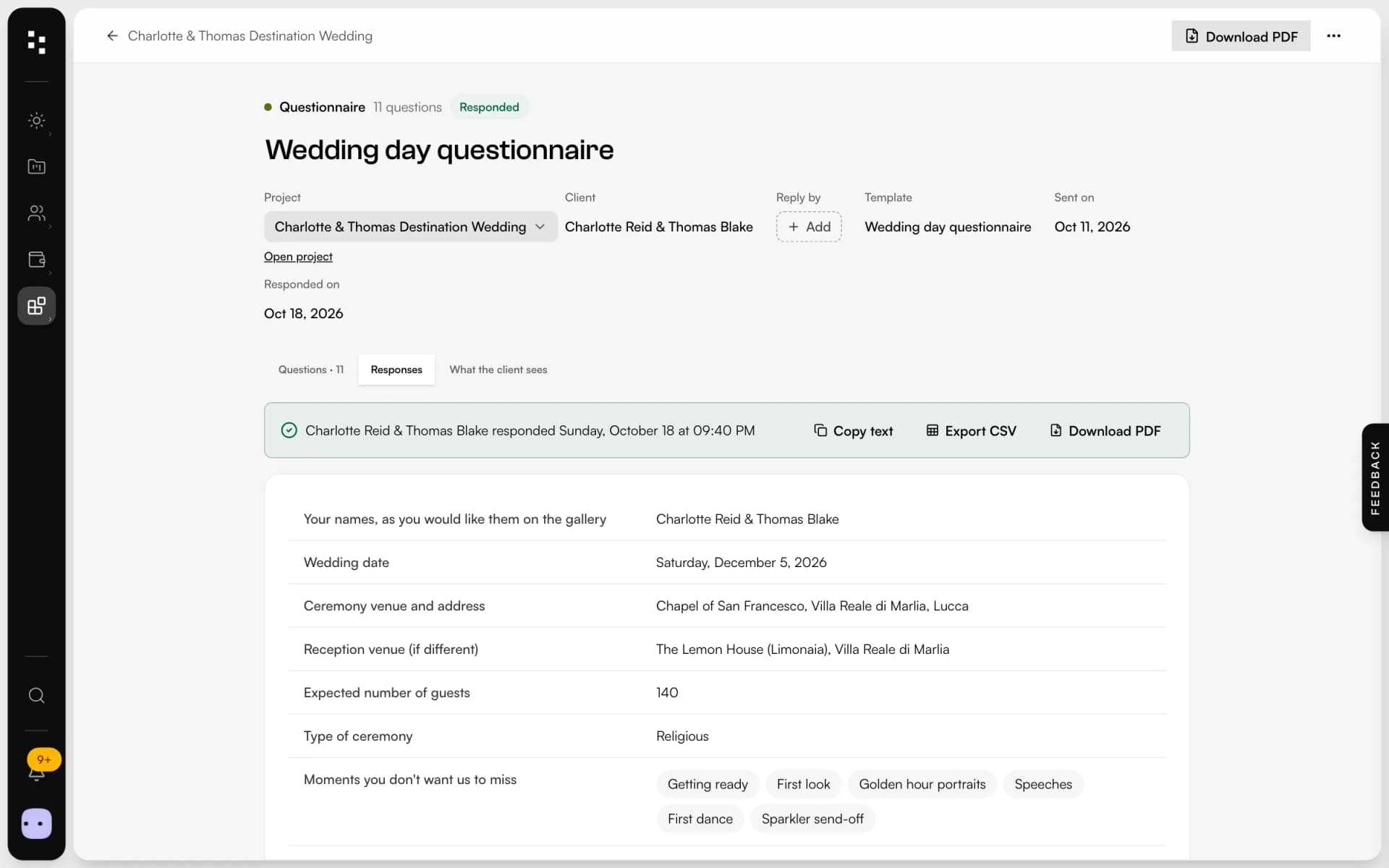
Forms are the contact and quote-request forms on your website or on a shareable link: each submission finds or creates the client and opens a project in your CRM. Questionnaires are the detailed questions you send a client before a session, such as timings, family photos and must-have shots, filled in on a page with your branding and saved in the project.
- Who it's for
- Photographers and studios that take inquiries and plan sessions with their clients
- What clients see
- Forms in your colours and fonts; questionnaires in their portal or from a link
- Where answers go
- Into the client and the project, with notifications and CSV or PDF export
- Spam protection
- A hidden honeypot field and rate limiting, with consent recorded
From the first messageto the last detail.
Forms bring the client in. Questionnaires get you everything you need before the day.
Buildthe form
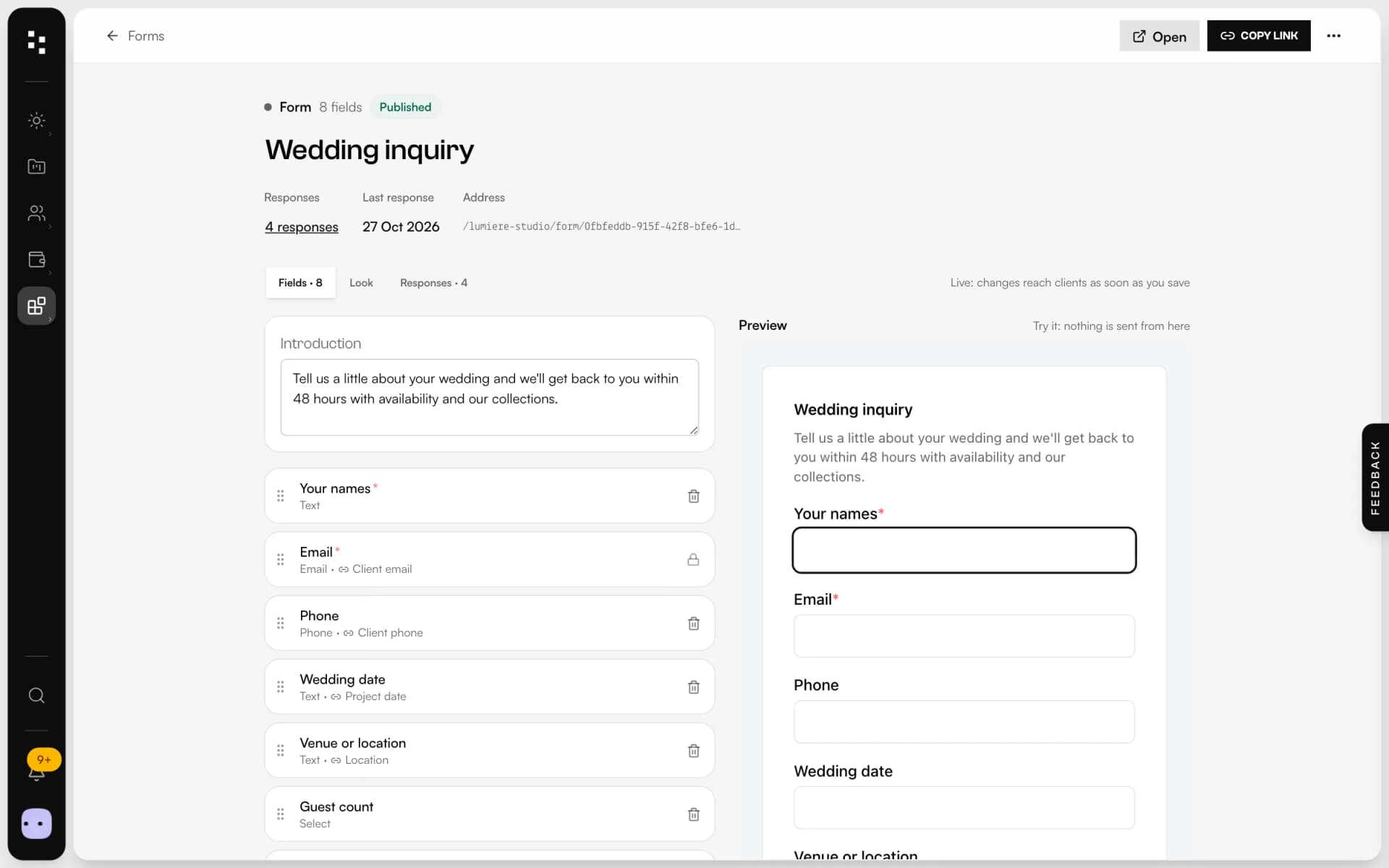
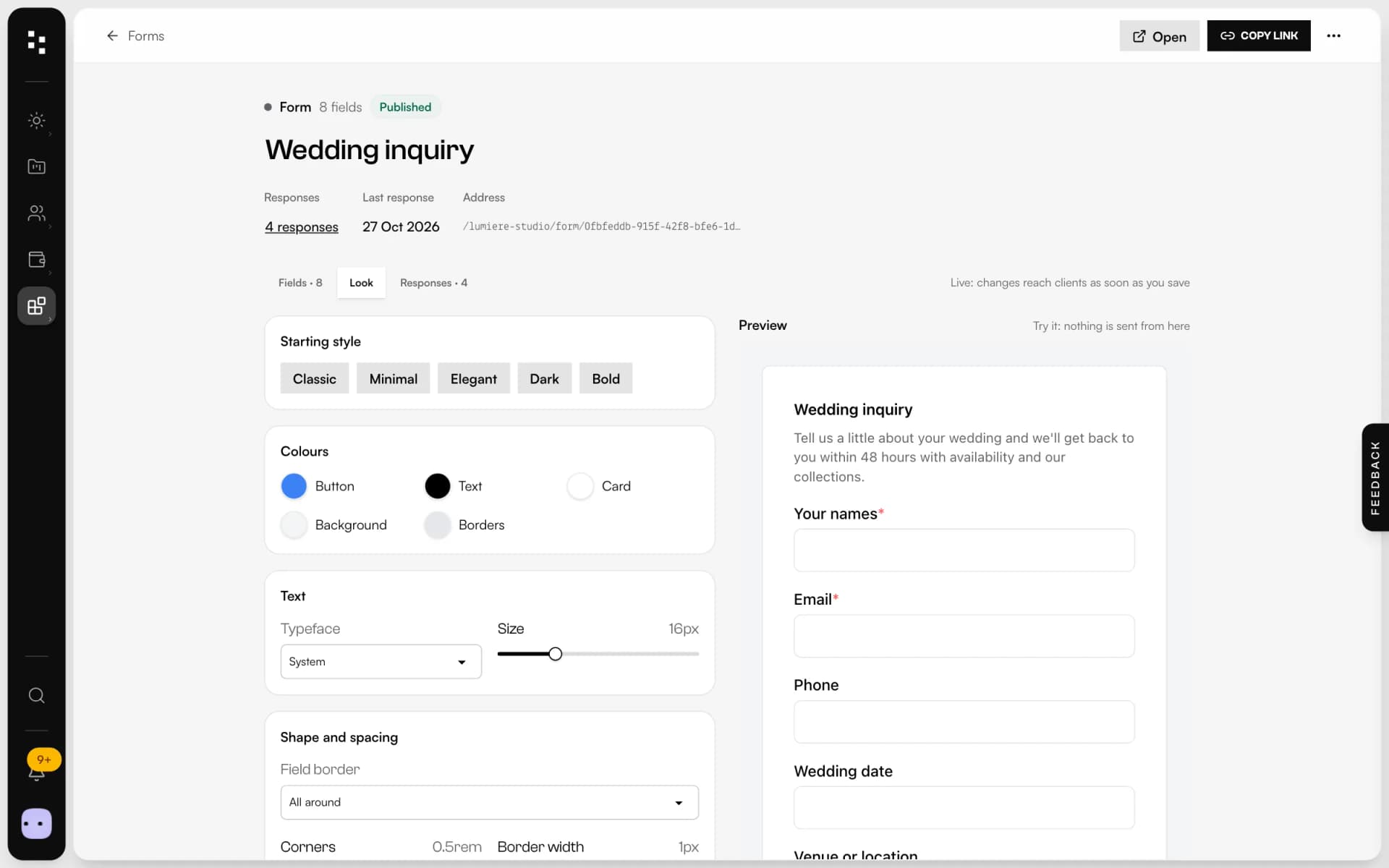
Start from a contact request, a quote request or a blank form. Text, email, phone, choices, checkboxes and long answers, then match your brand in the style tab with a live preview.
Shareit anywhere
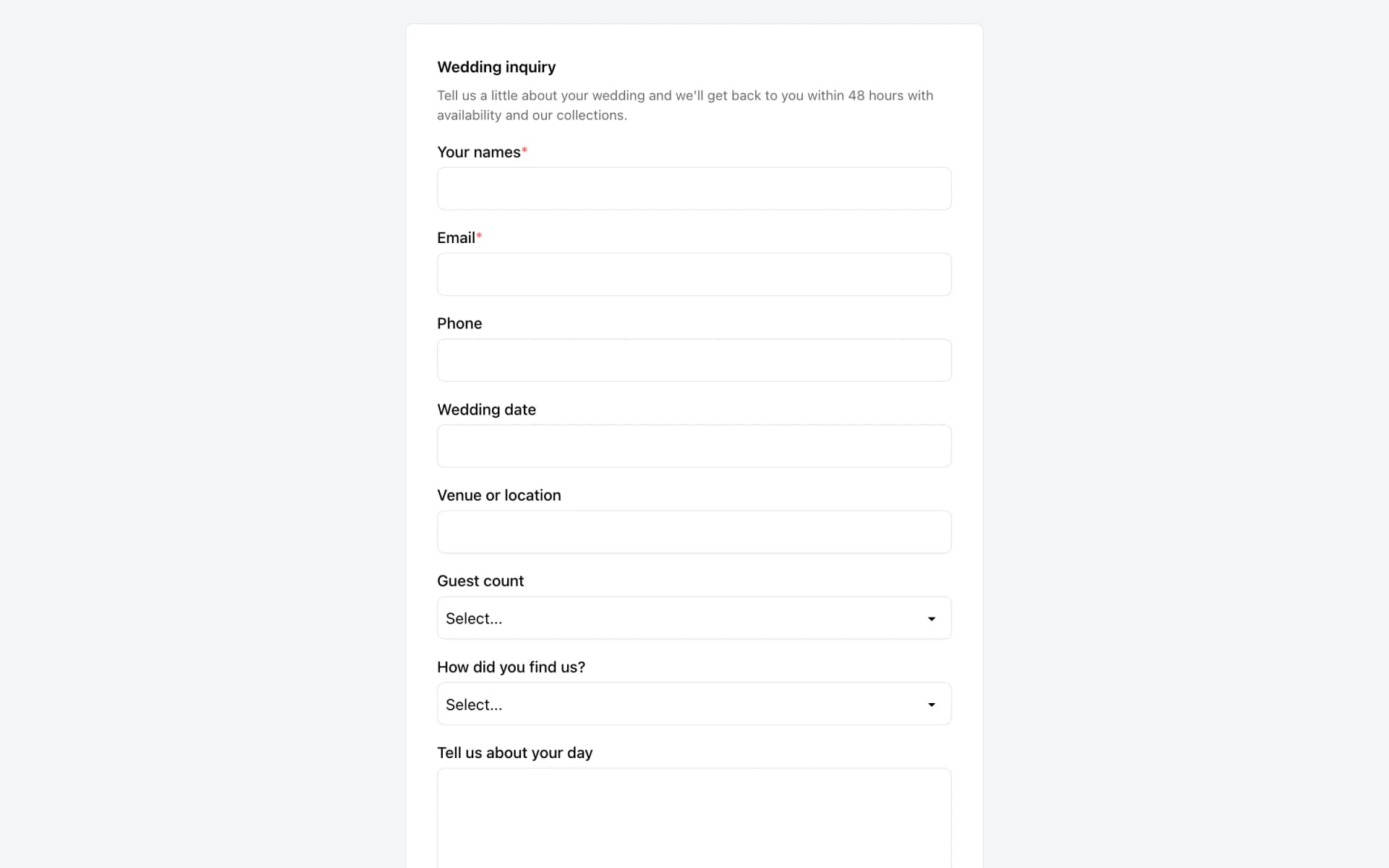
Add it to your Mosaii.co site, embed it on any website with a snippet, or share its link on Instagram and in your email signature.
Catchevery inquiry
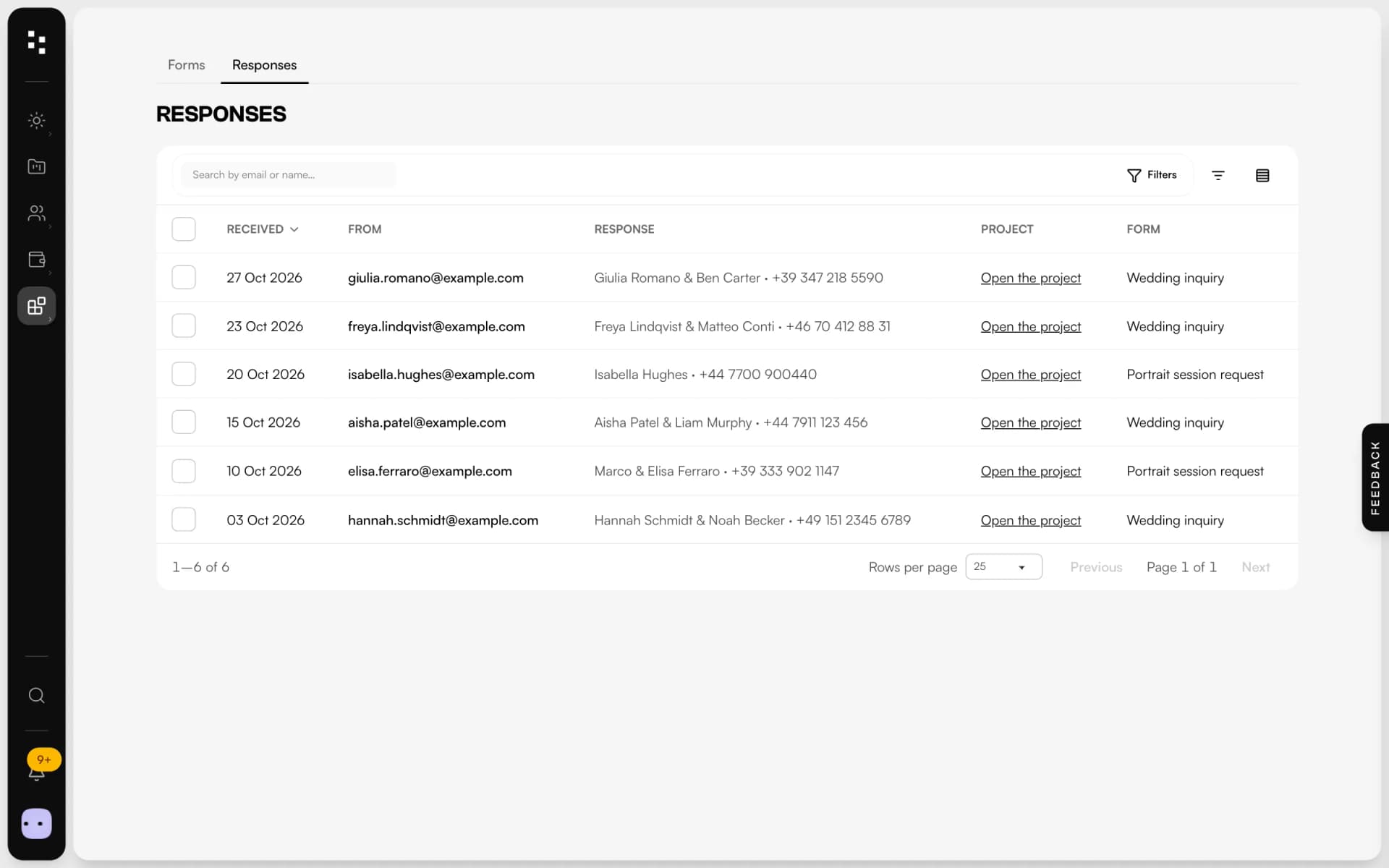
Map fields to name, email, date and location: each submission creates or updates the client and opens a project as a lead, with a score and a notification.
Askthe right questions
Send a questionnaire from a template: eight question types plus text blocks, an intro message and a due date. Answers land in the project, ready to print as PDF.
Fewer emails.Better answers.
Eight question types
Short and long text, single and multiple choice, yes/no, number, date, email or phone, plus text blocks to explain.
Templates
Save any questionnaire as a template and send it to every new client in a click.
Due dates and reminders
Set an answer-by date and send a reminder email with one click when it gets close.
Reopen for changes
Plans change: reopen a questionnaire for the client and keep the history of previous answers.
Your brand
Colours, font, shape and thank-you message: the form looks like your studio, not like a tool.
Export
Submissions to CSV, questionnaires to PDF or CSV, for you or for your second shooter.
Not another app.The next piece of your studio.
A form is where the relationship starts. Every answer travels with the client through the Suite.
- 01Media libraryGather your work
- 02WebsiteGet found
- 03PortfolioShare your best work
- 04FormsReceive the inquiryYou are here
- 05BookingMeet the client
- 06Quotes & contractsSign and get paid
- 07MoodboardAgree on the look
- 08TimelineRun the day
How it connects
Less admin.More photography.
Without Mosaii.co
- Inquiries scattered across email, DMs and contact forms
- Copying names, dates and venues into your CRM
- Questionnaires as documents sent back and forth
- Chasing answers the week before the wedding
With Mosaii.co
- One form, every inquiry in the same list
- Client and project created from the submission
- A branded questionnaire, answers saved in the project
- A due date and a reminder in one click
Questions about Forms & questionnaires
Can I embed a Mosaii.co form on my existing website?
Yes. Every form has a public link and an embed code that works on any website. On a Mosaii.co site you add it as a block.
What happens when someone fills in the form?
Mosaii.co finds the client by email or creates a new one, opens a project at the lead stage when the form collects project details, and notifies you in the app and by email.
How do clients fill in a questionnaire?
They open it from their client portal or from the link you send, on a page with your branding. You get an email when they're done.
Can I reuse my questionnaires?
Yes. Save any questionnaire as a template and start the next one from it.
How do you stop spam?
Forms use a hidden honeypot field and rate limiting, and they record the visitor's consent.
How much does it cost?
You can start for free. Plans and prices are on the pricing page.
Every piecefits the next.
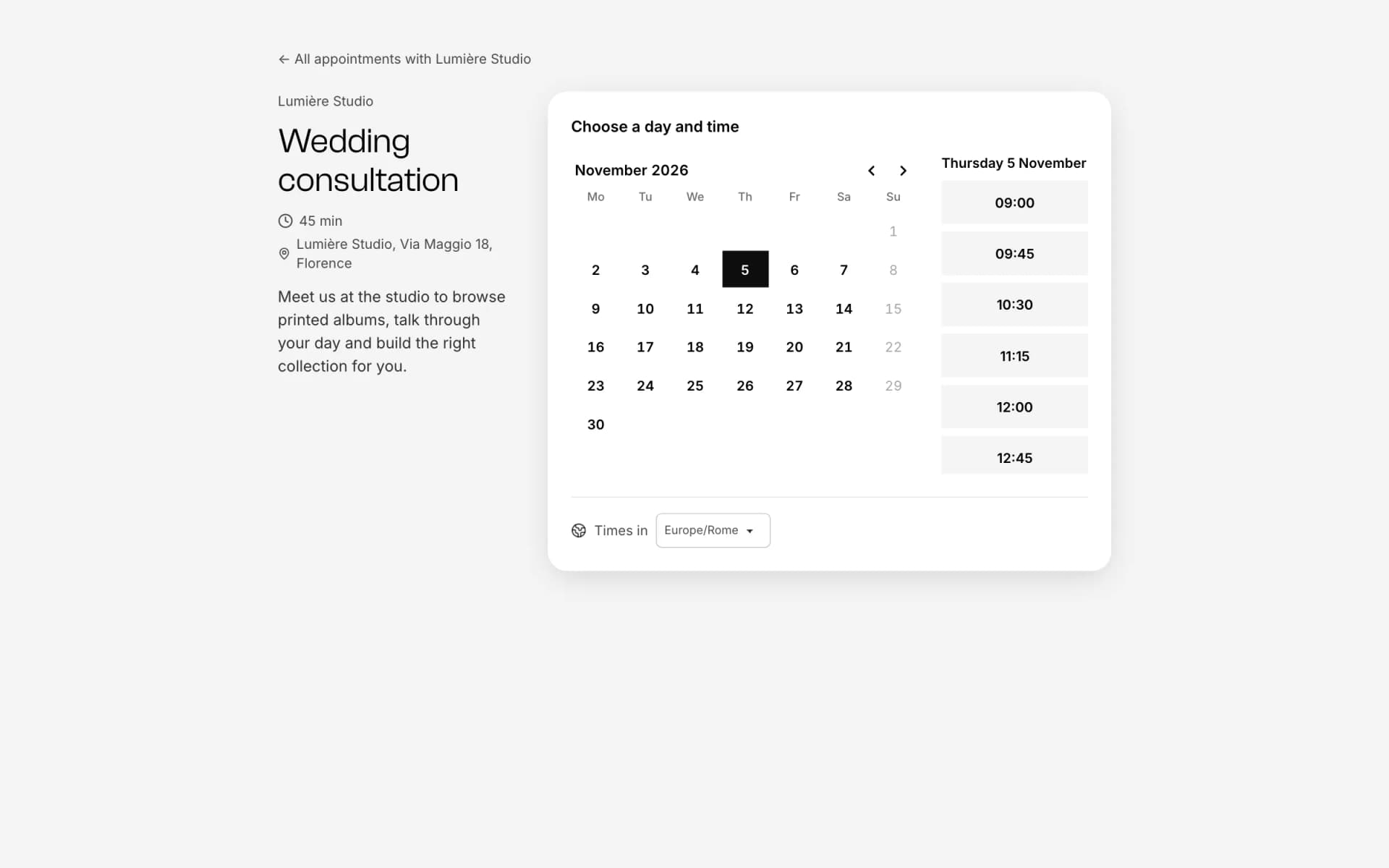
- Online bookingOne link, free slots, no back-and-forth emails.Discover
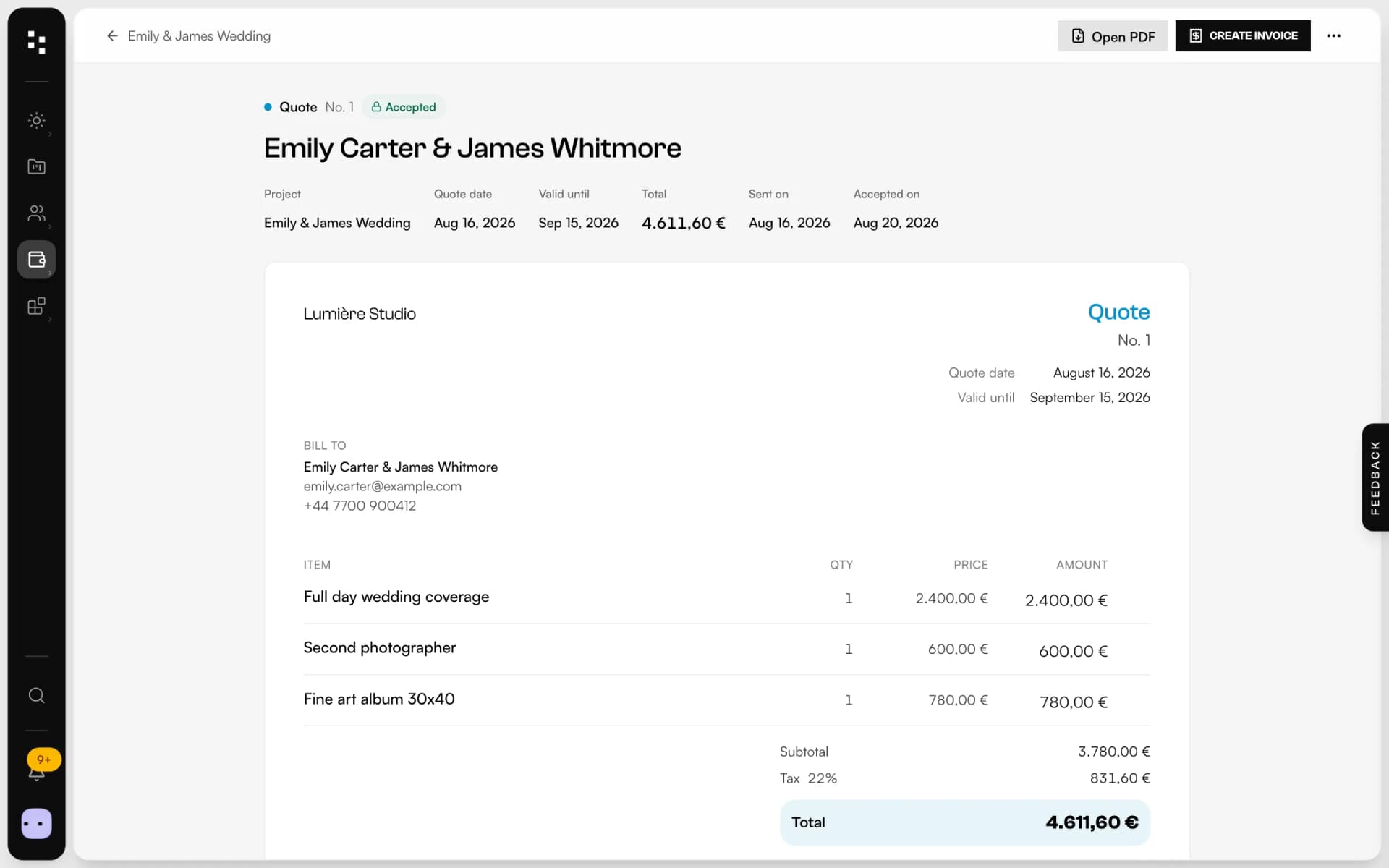
- Quotes, contracts & paymentsFrom the quote to the last payment, without retyping a line.Discover
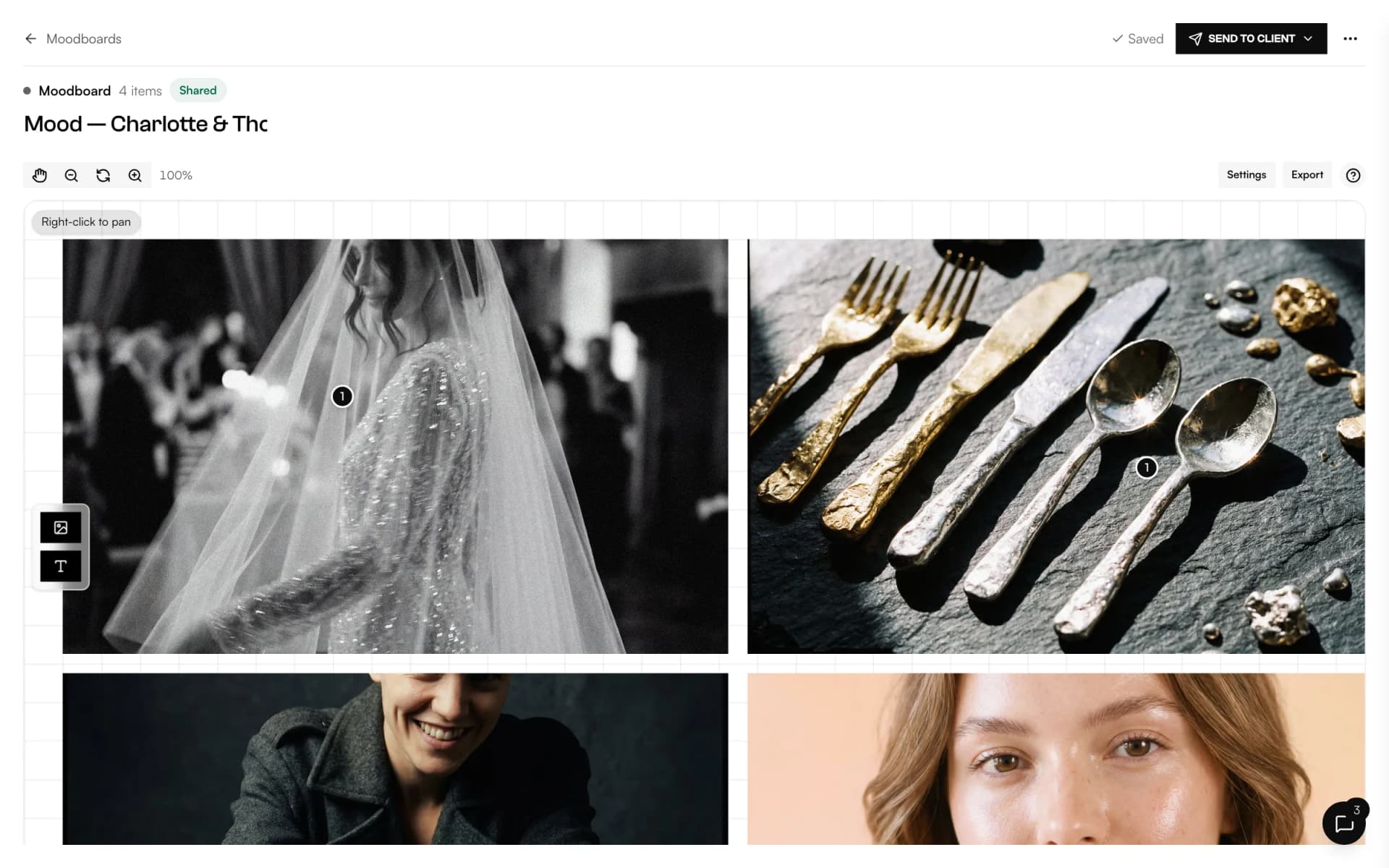
- MoodboardA shared canvas to agree on the look, with comments on every image.Discover
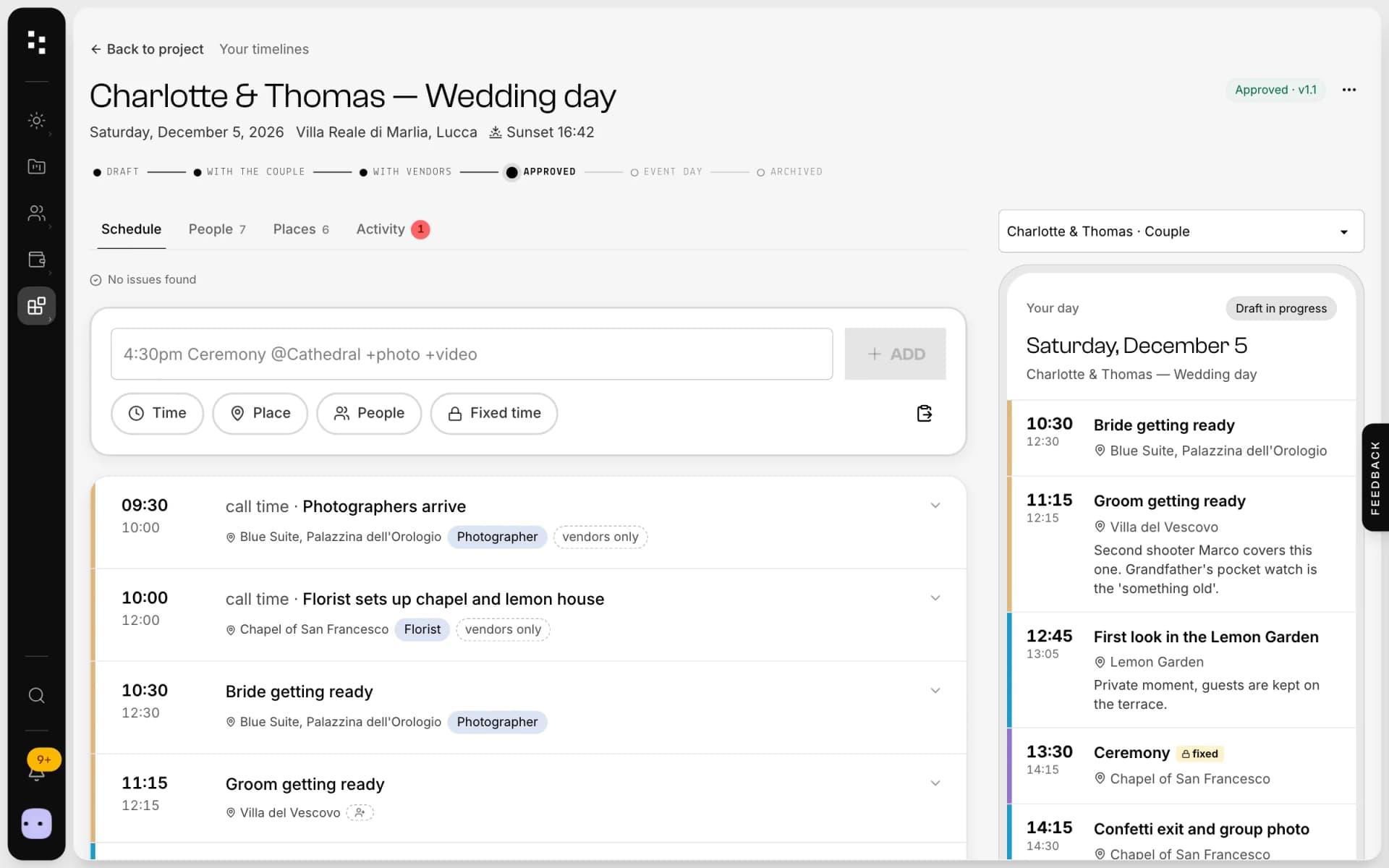
- Wedding timelineOne wedding-day schedule; the couple and every vendor read their part.Discover
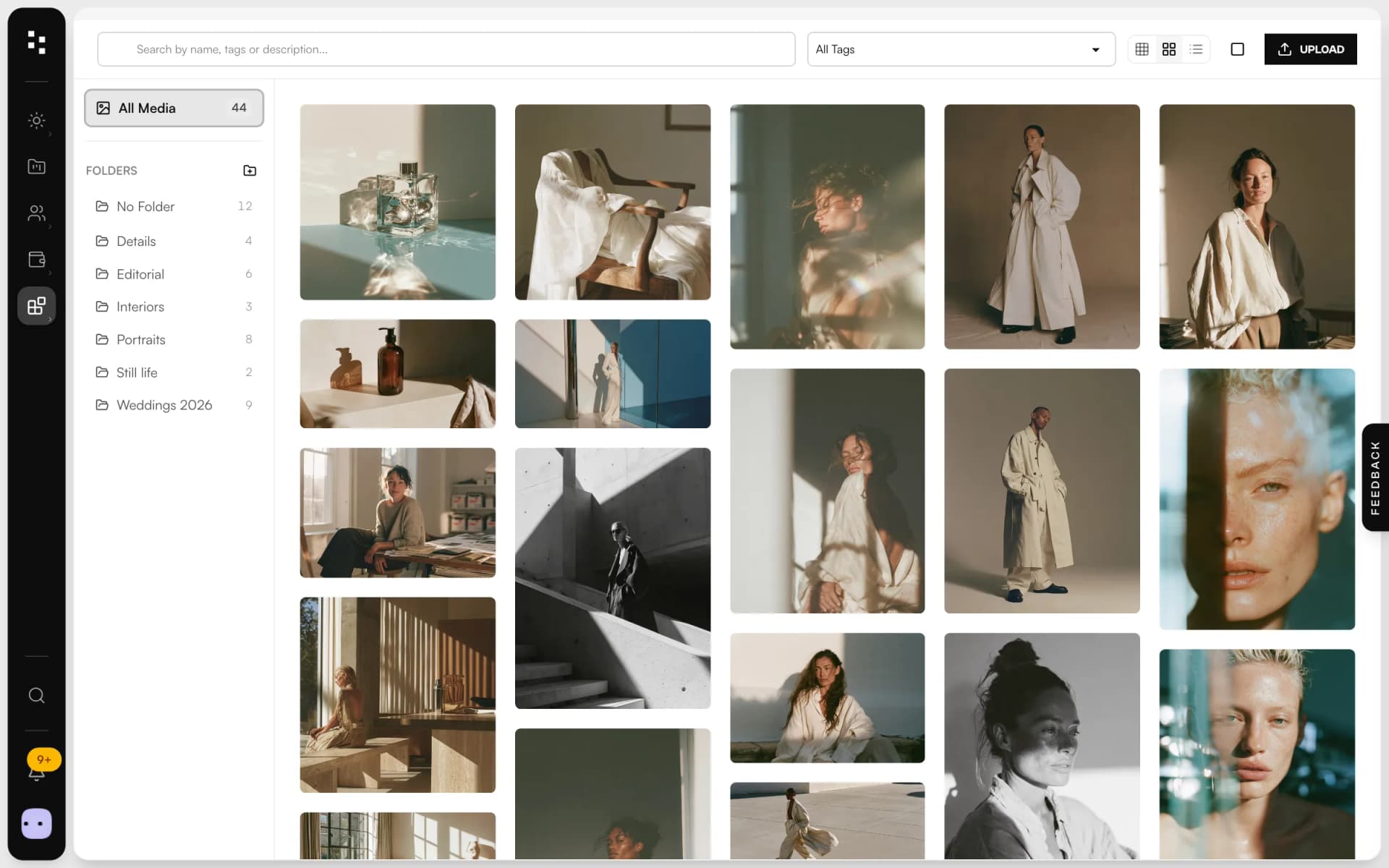
- Media libraryUpload in bulk, sort into folders and use every image across the Suite.Discover
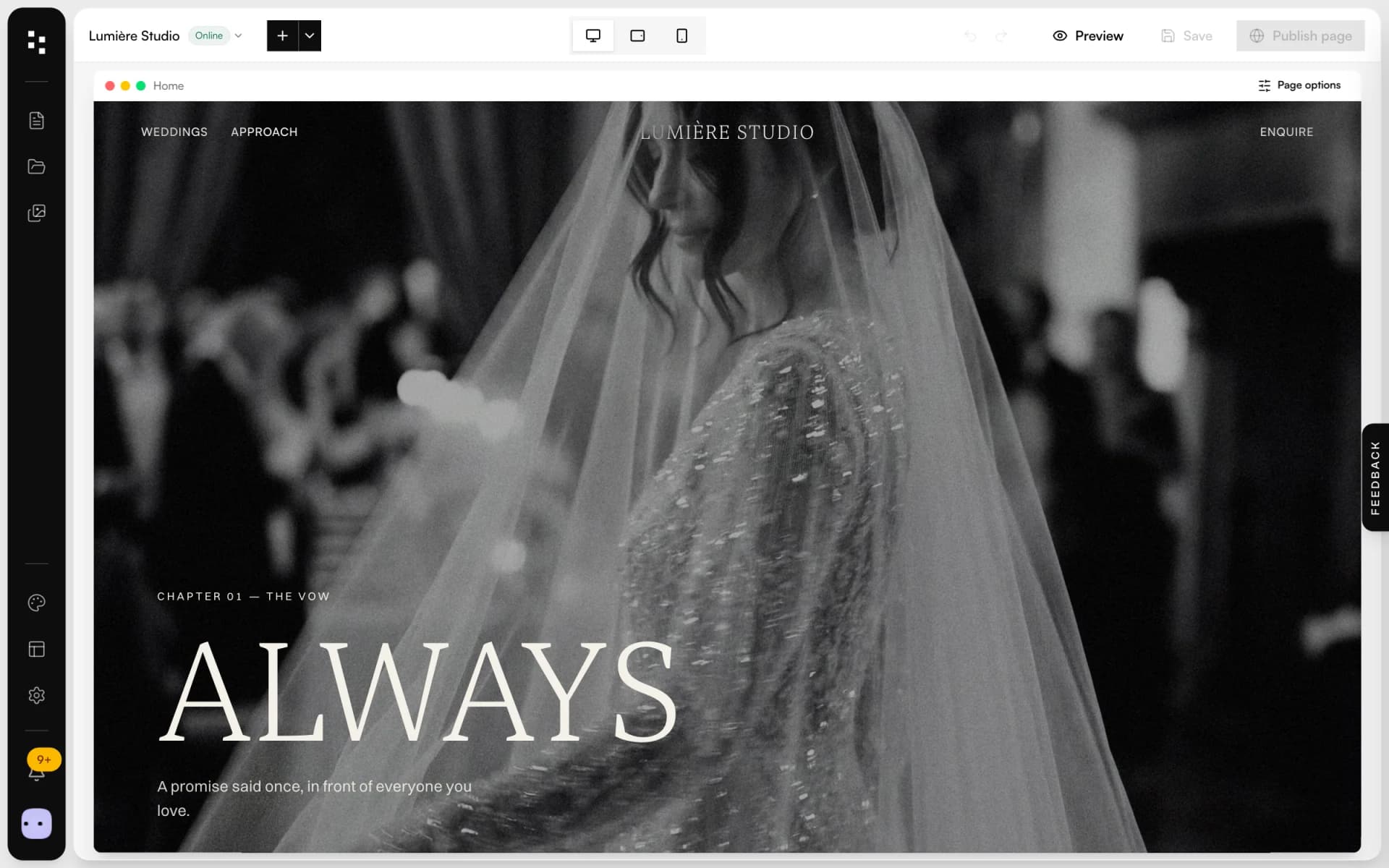
- Website builderA portfolio site that turns visits into inquiries.Discover
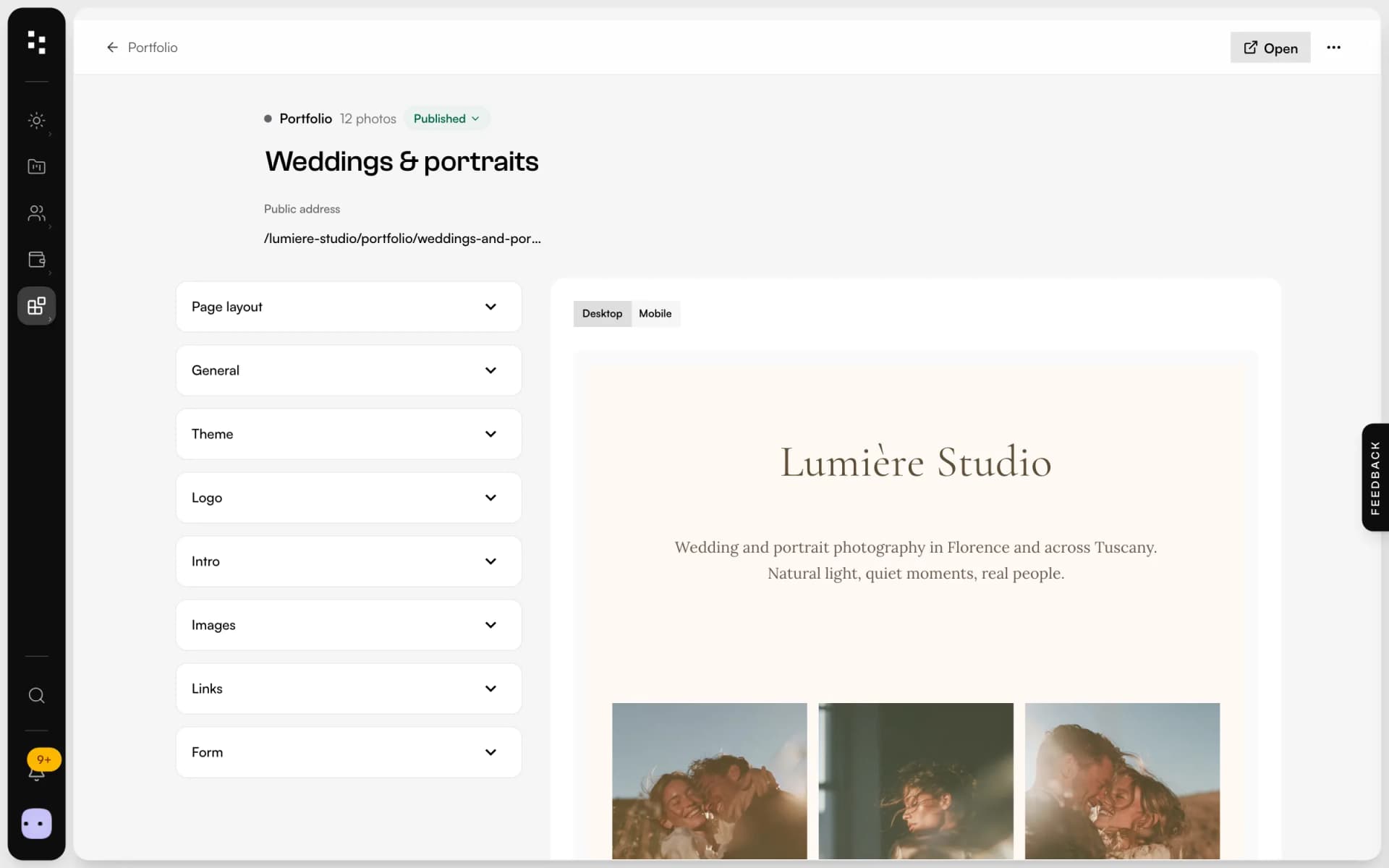
- PortfolioA page for your bio link: best photos, links and a contact form.Discover
Your whole studio, in one place.
Start free with the whole Suite: site, clients, documents and the big day. Plans and prices are on the pricing page.